Help - Email PDF Documents & Reports - Details
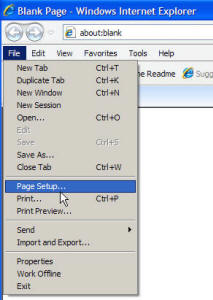
Settings for Internet Explore
Step 1 Select File > Page Setup.
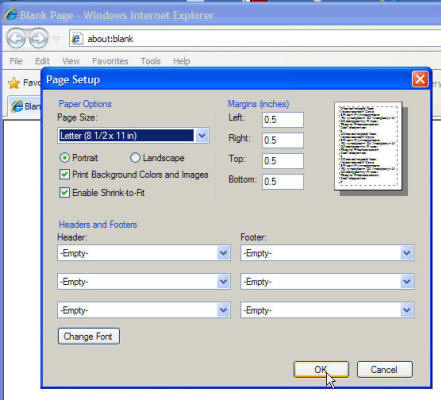
Step 2 In Page Setup modify settings as displayed below then click OK.
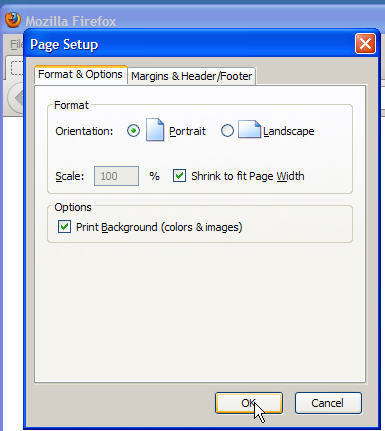
Settings for FireFox
Step 1 Select File > Page Setup.
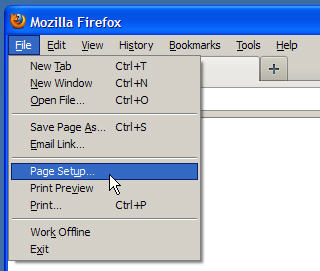
Step 2 In Page Setup modify settings as displayed below then select Margins & Headings.
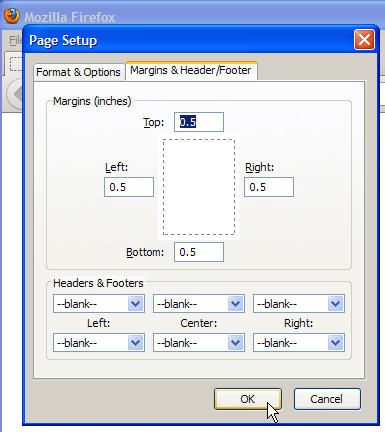
Step 3 In Margins & Headings modify settings as displayed below then click OK.